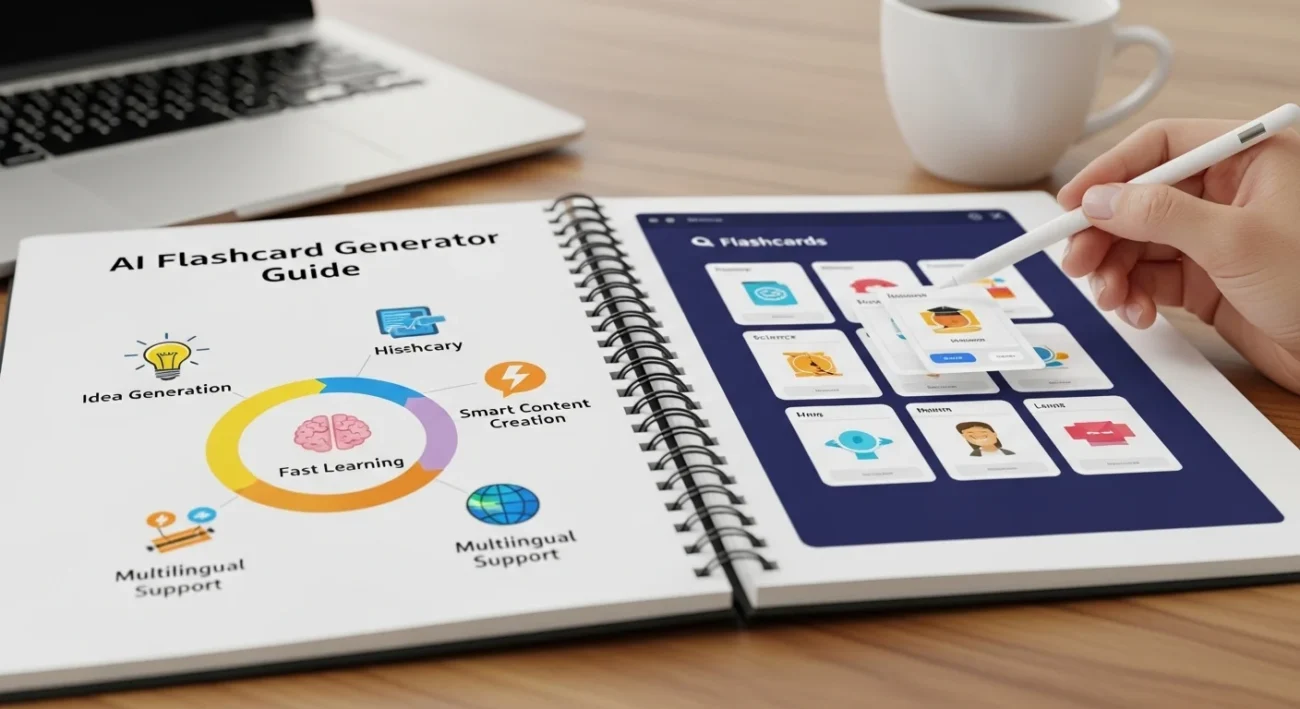
You sit down to study, open your notes, and suddenly spend two hours manually creating flashcards instead of actually learning.
That old workflow is dead.
In 2026, AI flashcard generators can turn PDFs, lecture notes, YouTube videos, textbooks, and even voice recordings into ready-to-study flashcards in minutes. No copy-pasting. No staring at blank cards wondering what to write.
The real advantage is simple:
👉 You spend more time remembering information and less time organizing it.\
What Is an AI Flashcard Generator?
An AI flashcard generator is a tool that automatically creates study flashcards from content you upload or paste.
Instead of manually writing:
- Question
- Answer
- Keywords
- Definitions
…the AI does it for you.
You upload:
- PDFs
- Lecture slides
- Notes
- Articles
- YouTube transcripts
- Audio recordings
The AI then:
- Extracts important concepts
- Identifies likely exam questions
- Builds question-answer flashcards
- Organizes them into study decks
- Sometimes adds spaced repetition automatically
How It Works (Simple Version)
Most tools use:
- OCR → Reads text from images/PDFs
- NLP (Natural Language Processing) → Understands meaning
- LLMs (Large Language Models) → Generate questions and summaries
- Spaced Repetition Algorithms → Show cards at the best review time
You don’t need to understand the technical side deeply.
What matters is this:
👉 AI removes the setup friction from studying.
Traditional vs. AI-Powered Flashcards
| Feature | Traditional Flashcards | AI Flashcard Generators |
|---|---|---|
| Creation Time | 1–3 hours | 2–10 minutes |
| Manual Typing | Heavy | Minimal |
| Question Generation | You create all | AI suggests automatically |
| Organization | Manual folders | Smart categorization |
| Spaced Repetition | Optional/manual | Usually built-in |
| Learning Speed | Slower setup | Faster review cycles |
| Best For | Small study sets | Large content volumes |
Real-Life Scenario
Imagine this.
You have:
- A 40-page biology chapter
- A quiz tomorrow
- Zero energy left
Old method:
“Let me manually create 80 flashcards.”
Three hours disappear.
AI method:
You upload the PDF.
The tool creates:
- Key term cards
- Multiple-choice questions
- Concept explanations
- Review scheduling
👉 Total setup time: under 10 minutes.
Friend: “You already finished studying?”
You: “No. I finished making the cards instantly.”
AI Tools Related to AI Flashcard Generator
Several AI learning tools connect directly with flashcard generation workflows.
AI Note-Taking Tools
These tools capture information before flashcards are created.
Popular examples:
- Notion AI
- Evernote AI
- Microsoft Copilot Notes
Use case:
👉 Turn messy lecture notes into clean study material.
AI PDF Summarizers
These tools extract key concepts from textbooks and articles.
Best for:
- Research papers
- Long readings
- Dense academic material
Result:
👉 Faster conversion into flashcards.
AI Quiz Generators
Some platforms create:
- Practice tests
- MCQs
- Fill-in-the-blank exercises
This helps reinforce flashcards through active recall.
AI Voice-to-Study Tools
You record:
- Lectures
- Meetings
- Study explanations
The AI transcribes and converts them into flashcards automatically.
Perfect for:
- Auditory learners
- Busy students
- Mobile studying
Best AI Flashcard Generator Tools in 2026
Tool Comparison Table
| Tool | Best For | Key Features | Free Plan | Difficulty |
|---|---|---|---|---|
| Anki + AI Plugins | Serious long-term learners | Spaced repetition, AI deck generation | Yes | Medium |
| Quizlet AI | Fast beginner studying | AI quizzes, instant cards | Yes | Easy |
| Knowt | Students replacing Quizlet | AI notes + flashcards | Yes | Easy |
| Revisely AI | PDF-to-flashcards | Automatic study deck creation | Limited | Easy |
| StudyFetch | Multimedia studying | Video, audio, PDF conversion | Yes | Medium |
| Notion AI | Organized learners | Notes + AI summaries | Limited | Medium |
1. Anki
Pros
- Extremely powerful retention system
- Best spaced repetition algorithm
- Huge plugin ecosystem
- Great for medical/law/stem students
Cons
- Steeper learning curve
- Interface feels outdated
- Setup takes time initially
Real Example
A medical student uploads pathology notes.
AI generates:
- Disease definitions
- Symptom recall cards
- Diagnosis comparison cards
👉 Daily review becomes automatic.
2. Quizlet
Pros
- Very beginner-friendly
- Fastest setup
- Mobile app is polished
- AI practice tests included
Cons
- Advanced features locked behind paywall
- Less customizable than Anki
Real Example
A high school student pastes history notes.
Quizlet instantly creates:
- Dates
- Definitions
- Timeline cards
👉 Study session starts immediately.
Benefits of Using an AI Flashcard Generator
- Save hours of prep time
AI handles the repetitive work. - Study more consistently
Easier setup means fewer skipped sessions. - Improve memory retention
Many tools use spaced repetition automatically. - Reduce study fatigue
Less formatting, more learning. - Turn any content into study material
PDFs, videos, lectures, articles—all usable. - Create better questions
AI often spots concepts you might miss. - Study anywhere
Mobile AI flashcard apps sync instantly.
Step-by-Step System
Step 1: Choose Your Tool
Pick based on your goal.
- Fast/simple → Quizlet
- Deep memorization → Anki
- PDF-heavy studying → Revisely
- Multimedia learning → StudyFetch
Step 2: Capture Your Content
Gather:
- PDFs
- Notes
- Lecture recordings
- Slides
- Web articles
The cleaner the input, the better the flashcards.
Step 3: Process with AI
Upload the material.
The AI will:
- Extract concepts
- Create questions
- Build decks
- Suggest categories
👉 This is where you save the most time.
Step 4: Review the Cards
Do not blindly trust AI-generated answers.
Check:
- Accuracy
- Clarity
- Missing context
- Duplicate cards
Good review = better retention.
Step 5: Organize Your Decks
Separate decks by:
- Subject
- Difficulty
- Exam date
- Topic
This prevents study overload later.
Example Workflow
Here’s a realistic workflow for a college student:
- Record lecture on phone
- Upload transcript into AI tool
- Generate flashcards automatically
- Export into Anki
- Review 20 minutes daily
👉 Result: less cramming before exams.
Advanced Workflows
1. The Student Acceleration System
Workflow:
- Lecture recording
- AI transcription
- Flashcard generation
- Daily spaced repetition
Best for:
- University students
- Exam-heavy courses
Mini dialogue:
Friend: “How are you remembering everything?”
You: “I review small AI-generated decks every day instead of cramming.”
2. The Blogger Research System
Workflow:
- Upload research articles
- Generate concept flashcards
- Review before writing
Best for:
- Bloggers
- Content creators
- Researchers
👉 Helps retain niche information faster.
3. The Meeting-to-Action Workflow
Workflow:
- Record meetings
- AI extracts decisions/tasks
- Flashcards reinforce processes and terminology
Best for:
- Teams
- Consultants
- Managers
Mini dialogue:
Manager: “You remembered every action item?”
You: “The AI turned the meeting into review cards.”
Tips to Maximize Results
1. Edit AI Cards Manually
The first draft is rarely perfect.
Improve wording for clarity.
2. Keep Cards Short
One idea per card.
Long cards reduce retention.
3. Use Active Recall
Questions work better than passive summaries.
Bad:
- “Explain photosynthesis.”
Better:
- “What molecule absorbs light during photosynthesis?”
4. Review Daily
Consistency beats marathon sessions.
Even 15 minutes matters.
5. Combine AI with Spaced Repetition
This is where the real performance boost happens.
👉 AI creates cards fast.
👉 Spaced repetition keeps knowledge long-term.
Common Mistakes to Avoid
1. Trusting AI Blindly
AI can generate incorrect answers.
Always verify important material.
2. Creating Massive Decks
500-card decks become overwhelming quickly.
Focus on:
- High-yield concepts
- Weak areas
- Exam priorities
3. Using Passive Cards
Recognition is not retention.
Force yourself to recall answers actively.
4. Skipping Review Sessions
Creating cards is not studying.
Reviewing is where learning actually happens.
Future Outlook: What’s Coming Next?
1. Real-Time Lecture Flashcards
AI will soon generate flashcards live during classes.
2. Personalized Difficulty Adjustment
Future systems will adapt based on:
- Memory strength
- Speed
- Error patterns
3. Voice-Based Studying
You’ll speak answers aloud while AI evaluates understanding instantly.
4. Cross-App Learning Systems
Your:
- Notes
- Calendar
- Lectures
- Tasks
- Study plans
…will sync into one AI learning ecosystem.
👉 Studying becomes continuous instead of session-based.
FAQs
Are AI flashcard generators accurate?
Usually yes, but they still make mistakes. Always review important content manually.
Which AI flashcard tool is best for students?
For beginners, Quizlet is easiest. For long-term retention, Anki is stronger.
Can AI generate flashcards from PDFs?
Yes. Most modern tools support PDF uploads.
Are free plans enough?
For casual learners, yes. Heavy users may eventually need premium features.
Do AI flashcards improve memory?
They help by reducing setup time and enabling more frequent review.
Can I use AI flashcards for language learning?
Absolutely. Vocabulary, grammar, and conversation prompts work very well.
Is spaced repetition really important?
Yes. It’s one of the most effective evidence-based learning methods available.
Conclusion
The big shift in 2026 is clear:
Students and professionals no longer waste hours manually building flashcards.
AI now handles:
- Extraction
- Organization
- Question generation
- Review scheduling
That means you can focus on:
- Understanding
- Recall
- Consistency
- Performance
The best approach is simple:
👉 Start with one tool.
👉 Upload one study resource.
👉 Build one repeatable workflow.
That alone can completely change how fast you learn.
Discover more post
AI Tools for Revision in 2026: Best Apps to Study Faster and Remember More
AI for Solving Word Problems (2026 Guide): Best Tools, Workflows & Step-by-Step Systems
AI for Plagiarism Checking in 2026: Best Tools, Benefits & Step-by-Step Guide
Best AI Tools for Presentations in 2026: Create Slides Faster

Jimmy Watson is a specialist in AI-driven content systems, SEO strategy, and digital productivity. He creates data-informed, high-performance content designed to rank, convert, and deliver real value. His work focuses on leveraging AI to improve learning, streamline workflows, and build scalable online opportunities.